Explore all features
Track the habits that matter, automate supported check-ins with Apple Health and take planned breaks when you need them. No account required.
Apple Health automation
Connect a supported Health activity, such as steps, workouts or meditation and let recorded activity update your habit progress. Requires your permission.
Scheduled pauses
Plan rest days or travel dates in advance. Pause your streak without marking those days as completed habits.
Habit chaining
Use completing one habit as the reminder for the next, so your routine has a clear starting cue.
Notes and mood tracking
Add a note, mood or reason for a missed day. See the context behind your check-ins in the calendar timeline.
Milestone medals
Celebrate days 3, 7, 14, 30, 50 and 66. Revisit earned medals alongside completed rounds in the Trophy Vault.
Measurable daily goals
Track a target such as steps or pages with progress increments, instead of squeezing every habit into a yes-or-no check-in.
Weekday-specific reminders
Choose which weekdays a reminder appears, so it fits your actual schedule.
Snooze reminders
Delay a reminder when you cannot act yet, then return when the notification is useful.
Alarm-style reminders
Choose an optional stronger alert for a habit that needs more than a standard notification.
App icon badge
See how many habits remain today from the app icon. Turn the badge on or off in Settings.
Fast daily check-ins
Record today's habit in one tap without navigating a complicated dashboard.
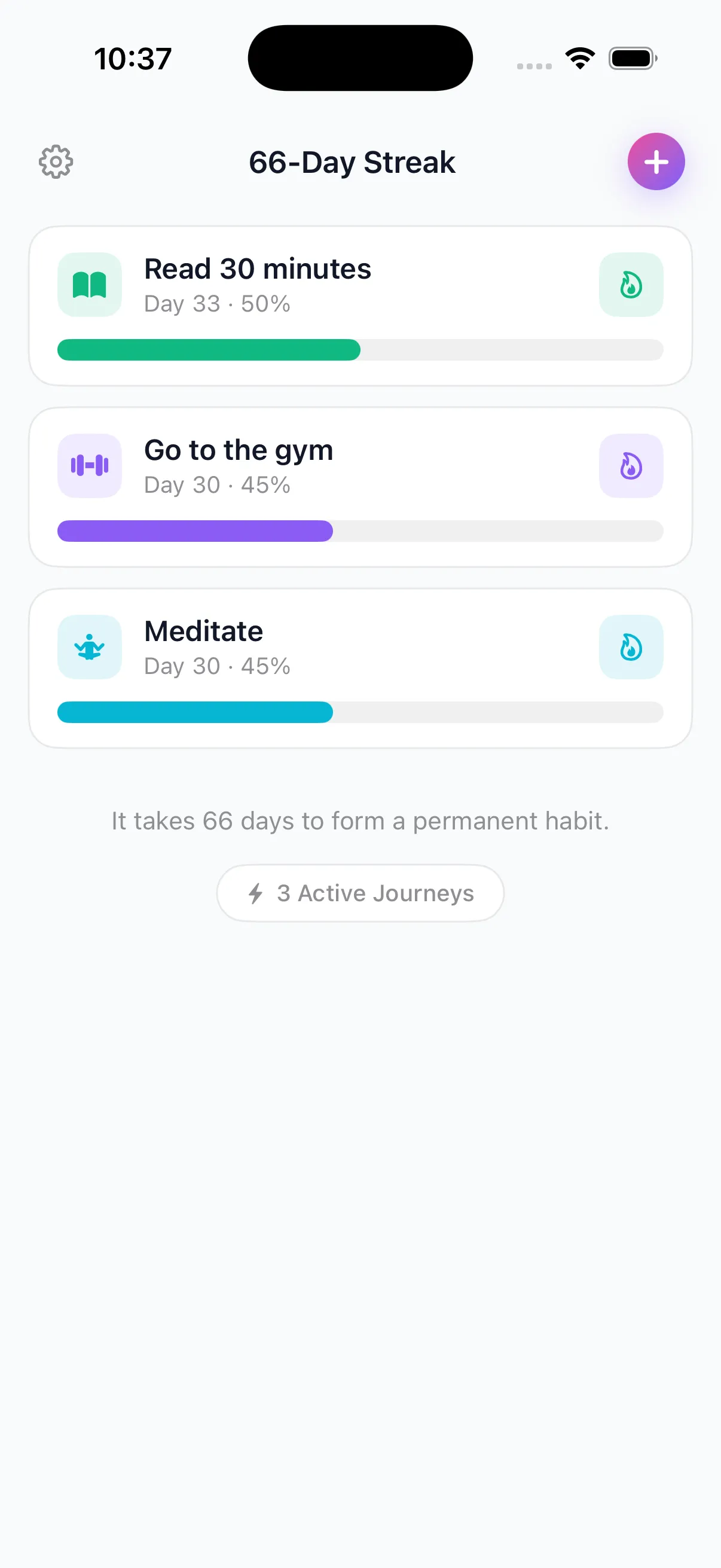
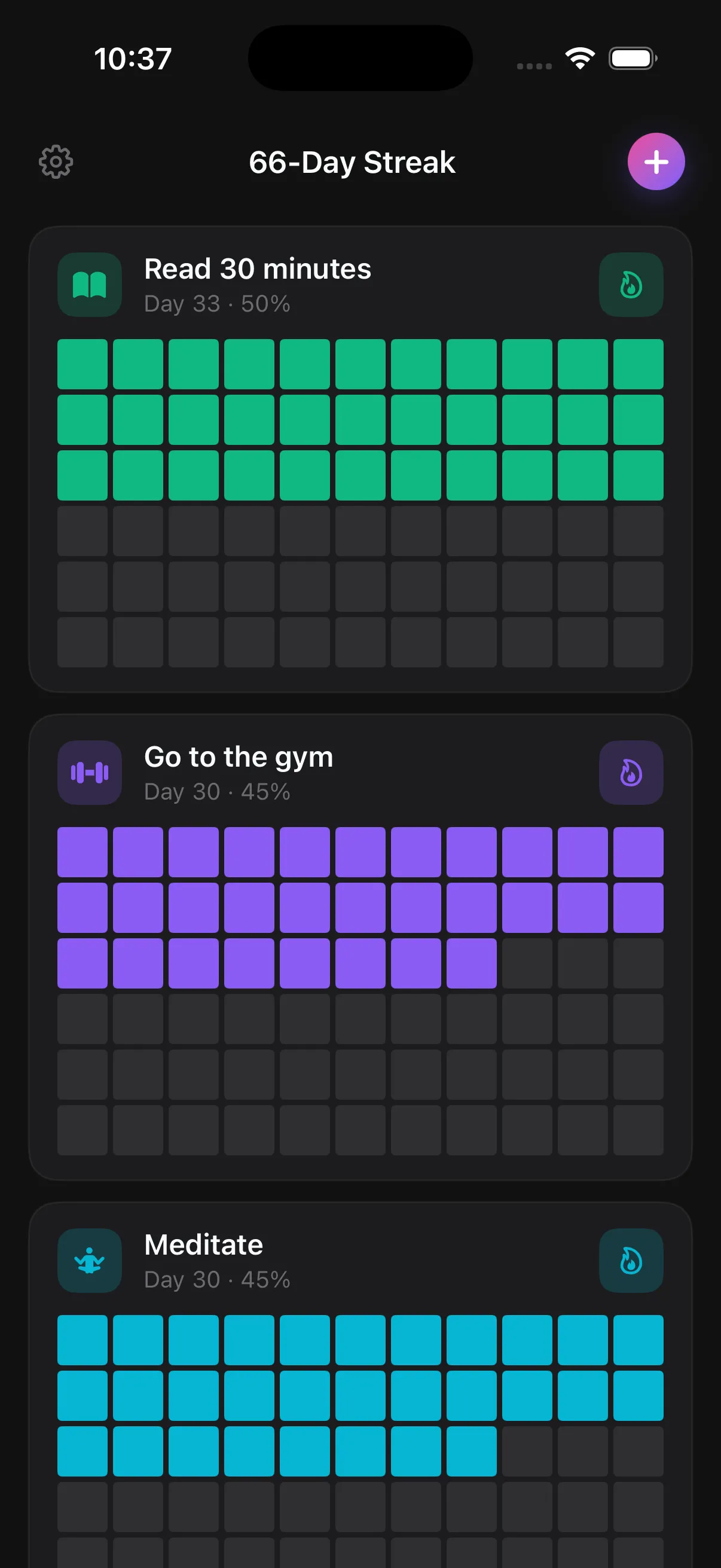
66-day progress grid
See completed days become a clear pattern across every 66-day round.
Habit reminders
Set one reminder per habit and choose when it fits your routine.
Multiple reminders
Set up to three reminders per habit for routines that need more than one cue.
Home Screen widgets
Choose a smart summary, habit list or single-habit view and keep progress visible without opening the app.
Lock Screen widgets
See overall progress or one selected habit before unlocking your iPhone.
Apple Watch app
Review habits, see progress and check in from your wrist.
Live Activities
Follow active habit progress in a glanceable, always-current view.
Siri and Shortcuts
Check in, hear your streak or find incomplete habits with voice commands and personal automations.
Calendar history
Move through past months and see completed, missed, paused and protected days.
Insights and analytics
Understand completion rate, vulnerable weekdays, recovery, best and average streaks, round comparisons and progress over time.
Weekly recaps
Review the last seven days, completed check-ins and the weekday most likely to need attention.
Habit templates and ideas
Start faster with a categorized catalog of practical habit ideas.
Rounds, not lost progress
Start again after a miss while keeping previous attempts and completed rounds in your history.
Flame Guards
Protect a missed day with one starter Guard on Free; Premium provides three Guards per monthly cycle.
Trophy Vault
Revisit earned medals and completed rounds in one place.
Backup and restore
Save a backup of your habit data and restore it when you need it.
Personal customization
Choose habit icons and colors, app theme, home layout and the appearance of shared progress cards.
Shareable streak cards
Create polished progress cards and share milestones without creating an account.
Unlimited active habits
Move beyond the Free limit of four active habits when you are ready to track more.
Light and dark appearance
Follow your iPhone setting or choose the appearance you prefer.
No account required
Start without registration, an email address or setup friction.
Feature Tutorials
Set up the app around your routine
Set up Apple Health habit tracking
Learn which activities support automatic completion, how permissions work and what to check when progress is delayed.
Home ScreenUse and customize widgets
Choose the right widget size and decide what it should show.
Lock ScreenKeep progress visible earlier
Add overall progress or one selected habit before unlocking.
Siri & ShortcutsBuild a faster check-in loop
Use voice commands and personal automations without faking completion.
RemindersChoose cues you can act on
Match timing and action size to the routine you actually have.
ProgressRead the 66-day grid
Look for useful patterns instead of demanding perfection.
RoundsRestart with context
Keep prior attempts and change one source of friction.